Candy Jump
One button does not mean an easy afternoon.

The rule fits in a breath. Keep the candy moving through the matching colour, then discover how much attention a simple action can demand when the obstacle will not stay still long enough to make the answer obvious.
Source · Coolmath Games ↗The game opens on its platform in a new tab. That service’s terms and privacy policy apply.Our pick when you want a tiny, demanding challenge
There is little to memorise. We recommend it for players who enjoy improving a single action through repeated attempts, because the small control set leaves room to notice timing instead of learning a new ability after every mistake.
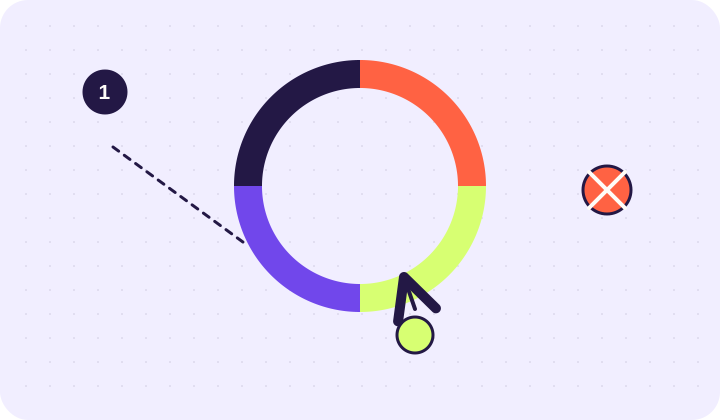 Editorial diagram, not a gameplay screenshot
Look for your colour before the next tap
Give the first obstacle your attention. Identify the matching part and watch its movement before chasing a score, so you are learning the relationship between your input and the opening rather than tapping because the screen feels busy.
- Check the candy’s current colour.
- Watch the matching part of the next obstacle.
- Tap or click to jump at your chosen moment.
- Devices
- Browser and mobile support are listed by Coolmath Games.
- Controls
- Click or tap to make the candy jump.
- Session
- A score attempt rather than a fixed-length level.
- Cost
- Free to access; this edition includes gameplay advertising.
- Account
- The platform offers optional login and favourites.
The controls, within reach
- Mouse click
- Make the candy jump.
- Touchscreen tap
- Use the same jumping action on the mobile version.
- Colour check
- Pass through the part that matches the candy; avoid the other colours.
Look at where the opening is going
The present picture is not enough. Try following the matching section as it moves toward a useful position, instead of waiting until it looks perfect and only then deciding whether to make your next input.
Keep the decision close to the candy. Looking too far ahead can distract you from the immediate barrier, so use the next obstacle as your main reference before worrying about what another part of the course may demand.
Build a rhythm you can still interrupt
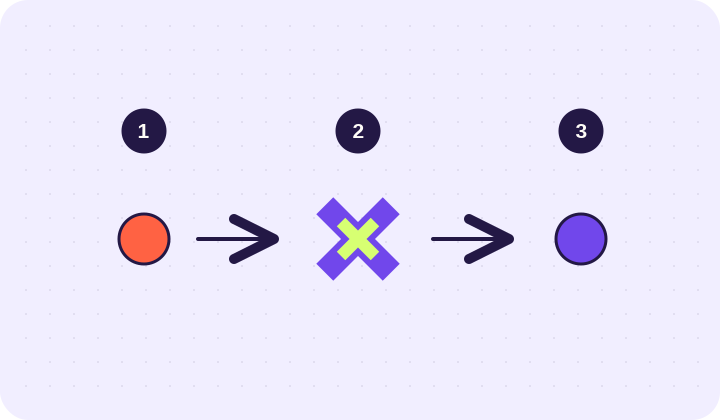
A rhythm helps until it does not. Repeating a comfortable pattern can make the movement feel manageable, but keep checking the colour and obstacle rather than trusting a familiar sequence of taps to solve every new situation.
Let a close call finish. Once you have passed an awkward point, bring your attention back to the next decision instead of replaying the near mistake in your head while your finger continues the old rhythm.
Give each retry a small purpose
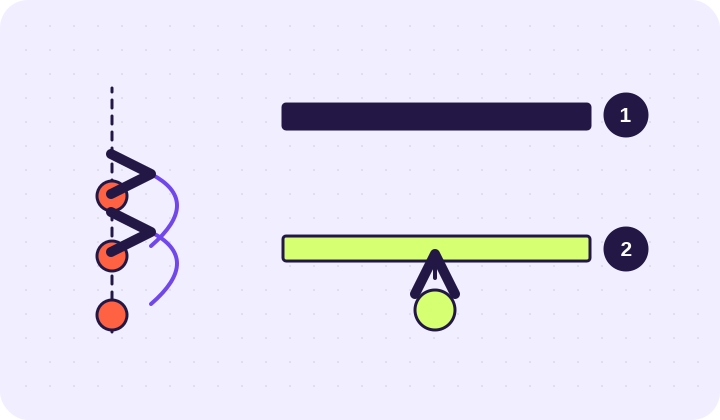
Pick one detail to improve. You could watch the approaching colour more carefully or make fewer rushed inputs, but choose something you can actually notice rather than asking yourself to be better at the entire game.
A score is only one kind of feedback. Getting the same distance with a clearer understanding of the difficult moment can be a useful attempt, especially if the next run lets you make a different decision there.
When a run goes sideways
Treating every open-looking gap as safe
Check the colour as well. A route can look physically clear and still be the wrong choice, so use the candy’s current colour as part of the decision before making another jump.
Tapping faster as soon as the screen feels stressful
Return to the next visible decision. More inputs do not necessarily give you more control, so try observing one obstacle and choosing a moment rather than answering pressure with a stream of clicks.
Changing your mouse, posture and rhythm together
Keep most things familiar. When you want to compare attempts, changing one detail makes the result easier to interpret than moving your hand, swapping controls and altering the pace all at once.
Does it fit your break?
You might like it if…
Choose it if small improvements feel rewarding. It suits a player who wants a clear rule, short attempts and the chance to sharpen one skill without spending the first part of the session reading a menu.
Maybe skip it when…
Skip it when you want a gentle puzzle. The bright presentation does not make the timing relaxed, and someone looking for a game to play while distracted may find the repeated restarts more irritating than satisfying.
- The linked edition displays advertising, including during play; Coolmath says the developer’s in-game ads remain for premium subscribers too.
- Timing depends on a readable, responsive display. If the game stutters, check the browser and other open work before judging your reactions.
- The source page does not clearly credit a developer. We leave that credit open rather than attaching a name from a different game with the same title.
A few things worth asking
Is Candy Jump a match-three game?
No, it is a timing game. You are controlling a jumping piece through moving colour barriers, so the skill comes from reading the next moment rather than swapping sweets into rows on a board.
Can I use a phone?
Coolmath lists mobile support. Start with a few taps to see how the game responds on your device, and position your hand so it does not cover the obstacle you are trying to read.
Why is it harder than it looks?
The input rule stays simple. What changes the experience is having to choose a useful moment while watching movement and colour, so understanding what to do does not automatically make the next tap easy.