Chicken Scream
Less shouting. Better timing.

Your voice becomes the awkward part. Chicken Scream takes a familiar obstacle course and changes how you tell the character to move, so a quiet sound and a louder burst can matter more than another quick button press.
Source · CrazyGames ↗The game opens on its platform in a new tab. That service’s terms and privacy policy apply.Our pick for an odd, shared laugh
The input is the reason to come. We suggest Chicken Scream when you want to try something a little ridiculous with someone nearby, because learning to control a familiar platforming action through sound makes even a small obstacle worth discussing.
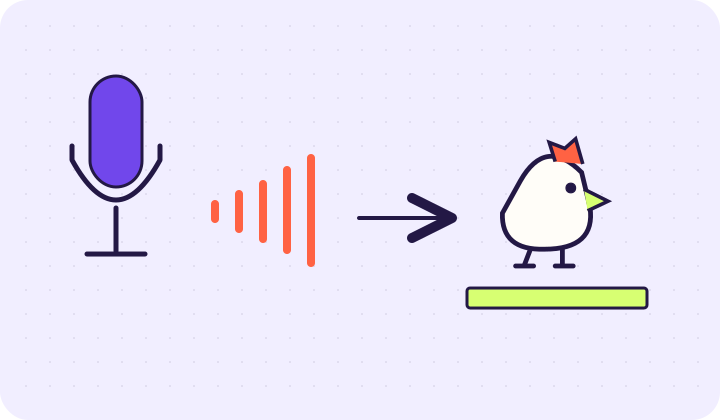 Editorial diagram, not a gameplay screenshot
Test the room before testing the jump
Start with one small sound. Check how the chicken responds before trying to cross an obstacle, and keep your distance from the microphone consistent so a new position does not quietly become another control variable.
- Choose voice input or the offered mouse fallback.
- Observe the response to silence and a brief sound.
- Try one obstacle with a controlled burst.
- Devices
- Computer, phone and tablet, according to CrazyGames.
- Controls
- Microphone; left mouse button is listed as a fallback.
- Session
- Short attempts; how long you stay is up to you.
- Cost
- Free on CrazyGames; the platform may display advertising.
- Account
- Check the platform’s optional account features; no account is supplied by Ludikora.
The controls, within reach
- Silence and voice
- Use changes in volume to influence the chicken’s movement.
- Microphone permission
- Allow access on the game’s page if you choose voice input.
- Left mouse button
- CrazyGames lists this as a secondary control when microphone access is denied.
Think about a sound, not a shout
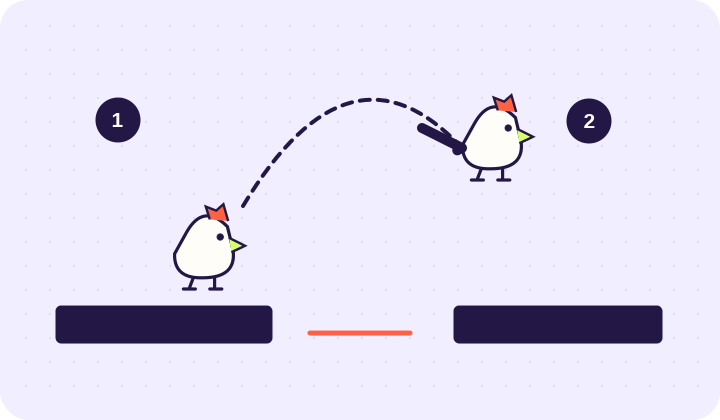
Louder is not always more useful. Try choosing a short, repeatable sound that you can make comfortably, rather than treating every obstacle as a request for the biggest burst of volume you can produce.
The pause between sounds matters. Give yourself a moment to watch what the previous input did, because filling every quiet second with another noise makes it harder to tell which sound helped and which one sent the attempt wrong.
Keep the microphone situation predictable
Stay roughly the same distance away. Moving the phone toward your face or leaning back in the chair can change the sound the microphone receives, even if you believe you are making exactly the same noise.
Headphones are worth considering. If the room is full of conversation or your speakers sit near the microphone, a quieter setup gives you a cleaner experiment than repeatedly changing how loudly you speak to compensate.
Choose your next attempt before restarting
Name one thing to change. You might try a shorter sound, wait a little longer before starting or use the same distance from the microphone, but choose only one so the next result tells you something.
A missed jump can still be useful. If you can say whether the input came too early, lasted too long or did not produce the response you expected, you have a clearer next move than simply trying harder.
When a run goes sideways
Increasing volume after every failure
Change duration before chasing loudness. A brief sound is easier to compare with the previous attempt, while a much louder one may change several parts of the response and make the result harder to understand.
Testing beside a loud conversation
Move the experiment somewhere quieter. If the microphone hears other people as well as you, it becomes difficult to decide whether a sudden movement came from your intended input or from the room.
Assuming a microphone is the only possible way in
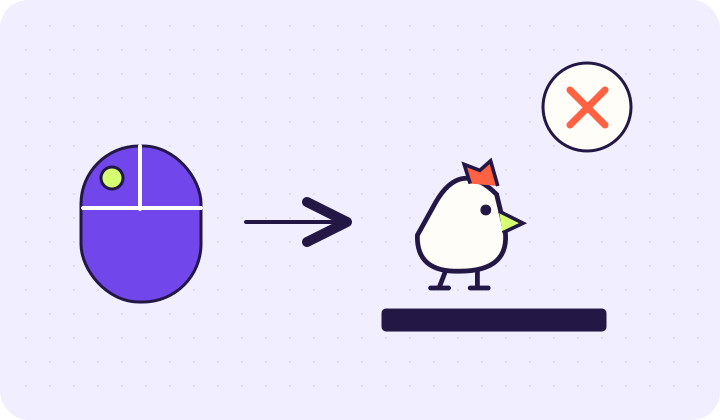
Check the offered alternative. The platform lists a mouse fallback after microphone denial, so inspect the game’s controls if you want to try the obstacle course without granting access or speaking aloud.
Does it fit your break?
You might like it if…
Choose it for a playful change of input. It suits someone who enjoys laughing at a small mistake and adjusting the next attempt, especially when the people nearby are happy to hear the experiment.
Maybe skip it when…
It may be wrong for a quiet commute. If you need silent, predictable controls or find repeated voice input tiring, Candy Jump offers a different timing challenge without asking you to speak to the screen.
- Voice input depends on microphone permission, your device and the surrounding sound. A platform listing cannot guarantee every microphone setup.
- This is a chicken platformer with obstacles. Its routes and input are different from the road-crossing game Crossy Road.
- Keep your voice comfortable. There is no need to strain it to make a casual game into a louder test.
A few things worth asking
Can I try it without allowing the microphone?
CrazyGames lists a mouse alternative. Its controls say the left mouse button works as a secondary option when access is denied, so check that route before assuming the whole game is unavailable without voice input.
Why does the chicken react when I did not mean to move?
Check what the microphone is hearing. Nearby conversation, speaker audio or a changed distance from the device can make a supposedly identical attempt different, so test in a calmer setting before changing your technique again.
Is this a game about crossing traffic?
No, this version is a platformer. The useful connection is guiding a chicken past danger, while the distinctive challenge comes from sound-based movement rather than judging gaps between cars on a road.